Sunday, 3 March 2013

FlashOut 3D v1.3 {APK+Data} Armv6


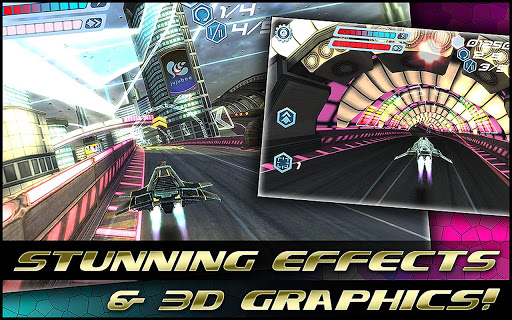
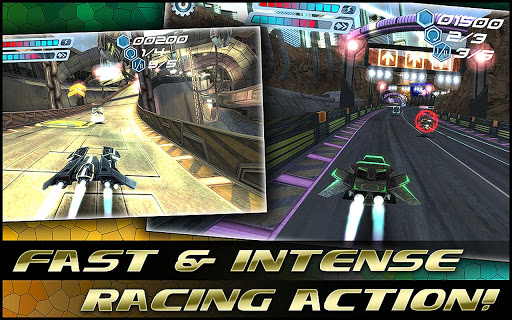
FLASHOUT 3D


Dominate the grid in all events, master your skills, upgrade your ships, listen to the great tunes, unlock all circuits and get hooked by this most advanced, fun and exhilarating racing experience!

Features and highlights:

  • Amazing 3D graphics!
  • Full HD support!
  • Great and unique electronic music!
  • Addicting Career Mode!
  • Highly-detailed and amazing racing circuits (New York, Beijing, Berlin and many more)!
  • Dozens of challenging races!
  • Upgradeable, super-fast ships!
  • Precise, fun and awesome controls!
  • Full accelerometer support!
  • Many cool and useful bonuses!
  • Deadly and destructive arsenal of weapons!
  • Clever AI, adapting to your style of play!
  • Interactive Equalizer – music affects graphics!
  • Gorgeous visual effects!
  • 6 control layouts!
  • Vibrations (if supported by device)!
  • Customizable graphics (low, medium, high)!
  • TV Out support!
  • Facebook and Twitter support!
  • And even more!


Requires Android: 2.1 and Up

Version : 1.3

Download Links: (Armv6 and Armv7)


DataFileHost:
FLASHOUT 3D APK{HVGA,QVGA,WVGA,TAB} Link


Download Data Files:

DataFileHost:
FLASHOUT DATA FILES


Install APK, place data folder in Android/obb/ and play.

Hidden Secret Codes for All Android Devices

Hi Guys Today I will Share a very Use full Hidden Secret Codes for All Android Devices These Codes are Shared by Xda member sohan rawat so thanks to him first.

*#*#4636#*#*

This code can be used to get some interesting information about your phone and battery. It shows following 4 menus on screen:
o Phone information

o Battery information

o Battery history

o Usage statistics
*#*#7780#*#*

This code can be used for a factory data reset. It'll remove following things:
o Google account settings stored in your phone

o System and application data and settings

o Downloaded applications
It'll NOT remove:

o Current system software and bundled applications

o SD card files e.g. photos, music files, etc.
*2767*3855#

Think before you give this code. This code is used for factory format. It'll remove all files and settings including the internal memory storage. It'll also reinstall the phone firmware.
*#*#34971539#*#*

This code is used to get information about phone camera. It shows following 4 menus:
o Update camera firmware in image (Don't try this option)

o Update camera firmware in SD card

o Get camera firmware version

o Get firmware update count
*#*#7594#*#*

This one is my favorite one. This code can be used to change the "End Call / Power" button action in your phone. Be default, if you long press the button, it shows a screen asking you to select any option from Silent mode, Airplane mode and Power off.
You can change this action using this code. You can enable direct power off on this button so you don't need to waste your time in selecting the option.

*#*#273283*255*663282*#*#*

This code opens a File copy screen where you can backup your media files e.g. Images, Sound, Video and Voice memo
*#*#197328640#*#*

This code can be used to enter into Service mode. You can run various tests and change settings in the service mode.
*#*#232339#*#* OR *#*#526#*#* OR *#*#528#*#*

WLAN test (Use "Menu" button to start various tests)
*#*#232338#*#* - Shows WiFi MAC address

*#*#1472365#*#* - GPS test

*#*#1575#*#* - Another GPS test
*#*#232331#*#* - Bluetooth test
*#*#232337#*# - Shows Bluetooth device address
*#*#8255#*#* - This code can be used to launch GTalk Service Monitor.
Codes to get Firmware version information:

*#*#4986*2650468#*#* - PDA, Phone, H/W, RFCallDate
*#*#1234#*#* - PDA and Phone

*#*#1111#*#* - FTA SW Version

*#*#2222#*#* - FTA HW Version

*#*#44336#*#* - PDA, Phone, CSC, Build Time, Changelist number

Codes to launch various Factory Tests:

*#*#0283#*#* - Packet Loopback


*#*#0*#*#* - LCD test

*#*#0673#*#* OR *#*#0289#*#* - Melody test

*#*#0842#*#* - Device test (Vibration test and BackLight test)

*#*#2663#*#* - Touch screen version

*#*#2664#*#* - Touch screen test

*#*#0588#*#* - Proximity sensor test

*#*#3264#*#* - RAM version

How to Play HD Games GTA 3,Temple Run on Galaxy Y

Hi Friends Today I will Show You How to Play HD Games Like GTA 3,Temple Run & many Others that will not ever runs on Galaxy Y You have seen White Screen or Black Screen or Force Close But After this I Have 99% Sure Your Problem Will Solved.So, Before doing this stuff First Thanks to Yusepz for this great apps & thanks to Xda member Imranabbas22 for sharing this mod for all Users.

Here Is ScreenShots Running Hd Games on Galaxy Y


Requirements:


Warning:

Use at your own Risk! we will not be held responsible for any damage to your phone.


Note : Don't Flash CM7 lib.zip File Otherwise you will Brick your phone


Instructions:

1. Install Chainfire 3d, its plugins and ES File Explorer
2. Install Drivers and tick Experiment EGL (might or might not work in your device depending on your ROM)
3. Make sure to go in default openGL Settings > Tick Reduce Texture Quality and Texture Size and select Qualcomm under Load Plugin
4. Download and extract "cm7 libs by yusepz" to the root of sdcard
5. Make Sure in ES File Explorer, Go to menu>settings>root settings > and Tick 'Root Explorer' and 'Mount File System'
6. Copy the Content of egl folder found in /sdcard/cm7 libs by yusepz/system/egl/HERE to /system/libs/egl/HERE
7. RESTART IS REQUIRED!
8. Now Install GTA 3 apk and copy the data in here /sdcard/android/data/HERE
9. Open up GTA 3
10. Accept user license agreement.
11. When download prompt appears, hit the back button and press home button.
12 In the status bar, touch the gta 3 notification to open up and Voila! You can play the game!

Video Tutorial 


Download Section :

cm7 lib by yusepz.zip


How to Install Java in Galaxy Y

Hi Guys Today I will Show You How to Install Java Games in Galaxy Y by Using Simple Instruction this Mod is Shared by Xda member adnanahmad1786.


How to Install:


o Download jbed.zip & Cwm.zip from below Download section & Place in Sdcard

o Reboot in Recovery mode by pressing vol up+home+Power button together once you enter recovery mode touch screen become function-less so use volume up and down to move up and down, home button for selection and power as back button.


o Now in recovery mode select "apply update from sdcard" and navigate to the root directory of sd card and select cwm file "cwm-madteam-galaxY.zip" this will take you to clockworkMod Recovery.

o Now select "install zip from sd" and then choose zip from sdcard" From the directory select "Jbed.zip" and select yes.

o After installation complete Reboot Phone.

o After Reboot Turn on your Galaxy y &  look in the menu for the app called "Java", the icon should be a cup.

o You are Done!


Note :  the java apps run only in landscape mod

I Am also providing the link to download super mario jar. file download install and enjoy


Download Section:


o  Jbed.zip Link


Saturday, 2 March 2013

Ark of the Ages APK

Ark of the Ages

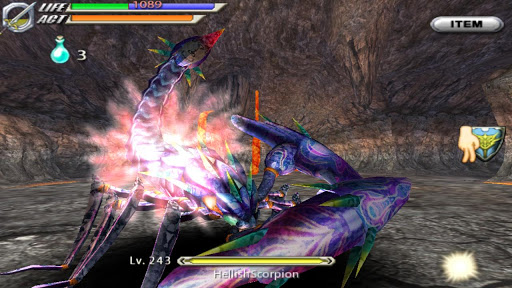
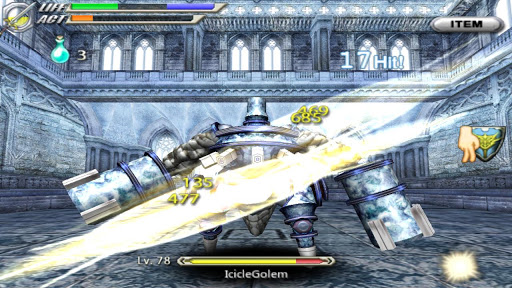
Ark of the Ages, a fully 3D action RPG, is now available to download and play!
Featuring a fun touchscreen-based battle system, an enchantment system using photos to power-up characters, and a companion system where strength is increased with the number of friends, the game is loaded with new and innovative features.
Challenge the Tower of Magic and claim the legacy of the Great Mage Sorienz!


Required Android : 2.3.3 and up.

Version : 1.0

Download Links :{Armv7}

Google Play Apk Link

DataFileHost:

Just Install & Play...

Universal Cosmic Mods [Tweaks] For All Android Devices & Custom Roms

Hi Guys Presenting [Tweaks] Universal Cosmic Mods Shared by a Recognized Contributor at XDA Forum know as iamareebjamal that gives your Android Devices.
  • It gives your mobile wings
  • Smoothness by loopy smoothness 
  • Better RAM consumption by adrenaline tweak
  • And prerajulisation and farhanitration by kuro Tweaks and other Tweaks
  • RAM consumption is great and also device is very snappy
Features:
  • ZRam Tweak
  • Adrenaline Tweak
  • Loopy Smoothness Tweak
  • Kuro Tweak 1
  • Kuro Tweak 2
  • Sysctl Tweak
  • Droidwall Modules


Pre Requisites :*Root Access

*ROM with init.d present
Note:-

This is a universal mod and will work on any device and any ROM
If you see "for Simplicity v5" in the updater Script, Don't worry, its there just because it was first made for that awesome ROM

Instructions:-

o Though all the mods are tested both on stock and CWM recovery, you have the choice to use any one of them

o These all mods mount and unmount partition and set the permissions automatically, so no no need tod o it, but these steps shown in instructions are shown to be done if everything else fails

1. Download desired mod

2. Place it in the root of your sdcard(Preferred)

3. Reboot into recovery

4. Mount /system(Do if installation fails)

5. Install zip from sdcard

6. Read what appears on screen

7. Reboot.

8. Enjoy
Note :  for hell lock kernel users 

delete 99complete script from /system/etc/init.d/ folder if stuck in bootloop

Download Section: { Don't Mirror }


Friday, 1 March 2013

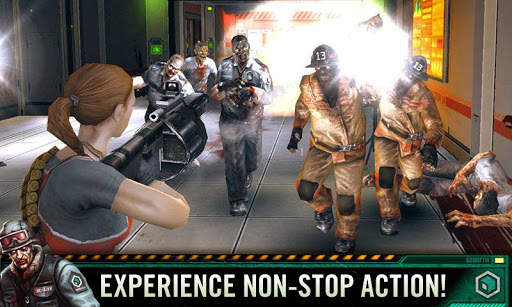
CONTRACT KILLER ZOMBIES 2 v2.0.0 {Apk + Data} Unlimited Money

CONTRACT KILLER ZOMBIES 2

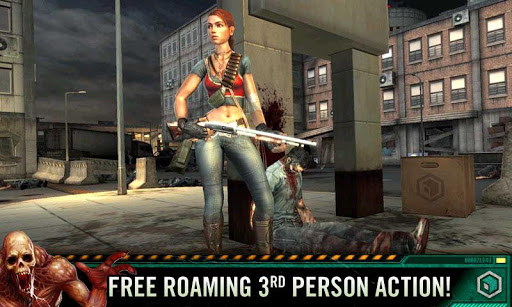
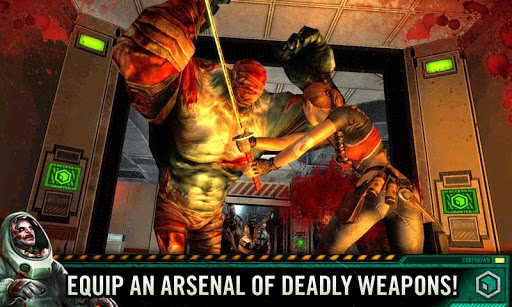
The follow up to the successful franchise, Contract Killer: Zombies!! Step into the role of Evelyn as she tries to clear out the Savehaven Research Center from the hordes of zombies and reveal the mystery behind the outbreak.

Free-Movement Third-Person Action!
Explore numerous locations both inside and out.

High-quality 3D graphics!
Experience beautiful graphics on the latest devices


Required Android : 2.1 and up.


Version : 2.0.0


Download Links :


Google Play Apk Link


Uploaded: