Sunday, 4 November 2012

Simplicity v2.1 with all fixed Custom Rom for Samsung Galaxy Ace GT-S5830i, GT-S5830m, GT-S5830C


Dear Users We All Know I have Previus post Simplicity V2 ( jelly blast ) Rom & Kernel for Samsung Galaxy Ace S5830 based on latest firmware xxli1. This Rom is Smooth, very light (43 mb use only out of 189 mb) and fast. This Rom is developed by the member of XDA abhi922 so if you like his work don't forget to thanks him.but this time I have Post an new version simplicity v2.1 with all bugs fixed Custom Rom for Samsung Galaxy Ace GT-S5830i, GT-S5830m, GT-S5830C


Screenshots:


Warnings:

This custom Rom is only meant for Samsung Galaxy Ace 
GT-S5830i, GT-S5830m, GT-S5830C and not for any other device. Use at your own Risk we will not be held responsible for any damage to device. The instructional guide here provided here is for is only for instructional and educational purpose.


Features:

  • Latest firmware xxli1
  • Rooted
  • Deodex
  • Simple but fully loaded with features & ics framework make it sleek and give glossy look
  • Host file modified to remove ads from free apps
  • 15 ics toogle and 6 ics lockscreen
  • int.d support
  • Added domscript
  • Added rafeal final edition kernel
  • Added rz recovery as default 
  • Alot of tweaks added into build.prop
  • Extremely barebone rom
  • 43 mb use only out of 189 mb
  • All apps are updated
  • Latest playstore
  • Ics keyboard added ( updated)
  • Latest superuser added
  • Ics wallpapers
  • Ics settings
  • Ics calculator
  • Ics deskclock modded by me 
  • Opera mini as default browser
  • Ics gallery (quicpic)
  • Extended rom settings
  • Jelly bean battery bar above status bar [ single blue line ] (check in screenshot)
  • Google ics music
  • Spareparts settings
  • Cpu control settings
  • Battery bar color,animation,etc setting
  • Cyanogenmod settings (rom settings) intrgrated in system settings... [ not real cm settings only modded to look like ]
  • Uses less ram ( ram optimised)
  • Roboto fonts
  • System font color changed to ics
  • System summary font color changed to white
  • New file manager ( root explorer feature included)
  • New cm9 bootanimation ( cm9 cid )
  • Removed battery icon from statusbar.


it has all the same features as above but dev removed the final edition kernel and modules from it.

.now u will get default stock recovery not rz recovery..........
.no chances of bootloops.........
.given fixes for ur problem in attachments.......
.this version of rom is recommended to all who have installed previous one or not.........
.important note if u r on my previous version and want to flash this one then do a new install using odin...........[ even if no soft brick ]
then flash this rom as normal

how to install this rom for who not able to install previous one or for everyone........

1) Download the rom . Place it on the sd card.
2) Boot in Recovery. (HOME+VOLUME UP+POWER).
3) Wipe data/reset, Wipe cache partition. Then go to advanced & wipe Dalvik cache.
4) Then choose zip from sdcard & Flash.
5) reboot & u r done.


Download:

Rom File:(not mirror) Simplicity v2.1 (jelly blast).zip
download fixes for rom from attachments below


Congratulation! Now you have successfully installed Simplicity V2 Rom & Kernel on your Samsung Galaxy Ace S5830. If you notice any bug post on thread page so developer may fix when new update released.

Simplicity V2 { Jelly Blast } Custom Rom for Samsung Galaxy Ace GT-S5830i, GT-S5830m, GT-S5830C

Simplicity V2 ( jelly blast ) Rom & Kernel for Samsung Galaxy Ace S5830 based on latest firmware xxli1. This Rom is Smooth, very light (43 mb use only out of 189 mb) and fast. This Rom is developed by the member of XDA abhi922 so if you like his work don't forget to thanks him. So here are few screenshots of Simplicity V2 ( jelly blast ) Rom running on Samsung Galaxy Ace GT-S5830i, GT-S5830m, GT-S5830C


Screenshots:


Warnings:

This custom Rom is only meant for Samsung Galaxy Ace S5830 and not for any other device. Use at your own Risk we will not be held responsible for any damage to device. The instructional guide here provided here is for is only for instructional and educational purpose.


Features:

  • Latest firmware xxli1
  • Rooted
  • Deodex
  • Simple but fully loaded with features & ics framework make it sleek and give glossy look
  • Host file modified to remove ads from free apps
  • 15 ics toogle and 6 ics lockscreen
  • int.d support
  • Added domscript
  • Added rafeal final edition kernel
  • Added rz recovery as default 
  • Alot of tweaks added into build.prop
  • Extremely barebone rom
  • 43 mb use only out of 189 mb
  • All apps are updated
  • Latest playstore
  • Ics keyboard added ( updated)
  • Latest superuser added
  • Ics wallpapers
  • Ics settings
  • Ics calculator
  • Ics deskclock modded by me 
  • Opera mini as default browser
  • Ics gallery (quicpic)
  • Extended rom settings
  • Jelly bean battery bar above status bar [ single blue line ] (check in screenshot)
  • Google ics music
  • Spareparts settings
  • Cpu control settings
  • Battery bar color,animation,etc setting
  • Cyanogenmod settings (rom settings) intrgrated in system settings... [ not real cm settings only modded to look like ]
  • Uses less ram ( ram optimised)
  • Roboto fonts
  • System font color changed to ics
  • System summary font color changed to white
  • New file manager ( root explorer feature included)
  • New cm9 bootanimation ( cm9 cid )
  • Removed battery icon from statusbar.
BUGS:
  • Camera settings are small FIX here


Download:

Rom File:(not mirror) Simplicity v2 (jelly blast).zip
Rom size: 94.37 MB


Installation Instruction:

  • Shutdown the phone
  • Goto stock recovery/cwm
  • Select the option "apply update from sdcard"
  • Select the file ( boot.img.zip ) [download]
  • Wait the end of process and reboot
  • Now goto recovery [ new rz recovery will open ]
  • Then goto option "install menu"
  • Select the file ( Farmat-All-EXT4.zip ) [download]
  • Wait the end of process
  • Now do not reboot and again goto "install menu
  • Select the file Simpilicity v2 (jelly blast).zip 
  • wait the end of process and reboot
  • just follow steps carefully first boot may take long time.

Congratulation! Now you have successfully installed Simplicity V2 Rom & Kernel on your Samsung Galaxy Ace S5830. If you notice any bug post on thread page so developer may fix when new update released.

Saturday, 3 November 2012

Hoverboard Hero Apk for Armv6 & Armv7

Hoverboard Hero

Ride a hoverboard through a futuristic world full of huge jumps.

Experience the thrill of riding floating hoverboard through a futuristic world full of huge jumps. FEEL the CUSHY HOVER PHYSICS! SOAR through the air doing incredible tricks and insane combos

Featuring:


- Realistic hoverboard physics will make you think you are riding a REAL HOVERBOARD
- Thrilling RAGDOLL CRASHES.
- Upgradable boards with JET POWERED THRUSTERS!
- Upgradable characters (ZOMBIE, BIGFOOT, and more.)
- Incredible trick COMBOS like a KICKFLIP + AIRWALK+ 360.
Google Play Apk Link

Direct Apk { Armv6 & Armv7 } Link 


Friday, 2 November 2012

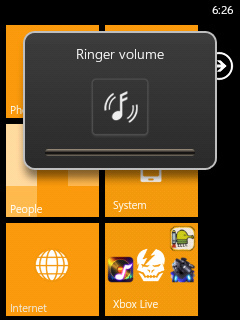
WP7-Monochromatic 3.3 MOD PACK for Galaxy Y { Even More Fast }


Dear Users Previously I Have Posted Three Updates of Monochromatic MOD PACK for Galaxy Y.

1.Monochromatic 1.8 MOD PACK for Galaxy Y { OVERHAUL MAKEOVER FOR STOCK }

2.Monochromatic 2.3 MOD PACK for Galaxy Y { OVERHAUL MAKEOVER FOR STOCK }

3.WP7-Monochromatic 2.8 MOD PACK for Galaxy Y 

And this time here comes WP7-Monochromatic 3.3 MOD PACK for Galaxy Y [OVERHAUL MAKEOVER FOR STOCK] So Enjoy the difference This mod Pack Monochromatic for galaxy y is developed and Shared by the senior member of XDA deathnotice01 so if you like his work don't forget to thanks him. 

Screen Shots :


What's in this New Release?

OVERALL ANDROID INTERFACE AND INTERNAL MODULES ADDED
WANT THE LIGHTNESS AND SPEED OF STOCK
BUT WITH AN AMAZING THEME AND MORE FEATURES?

- Overall Android User Interface (Framework-res)
- Pre-root features (superuser.apk, su- bin)
- Busybox (busybox- bin, ssh- bin)
- Modules for Bootanimation
- Bravia Engine Support
- Equalizer Sound Enhancement Modules
- Built-In v6 Supercharger
- General Performance
- Power Saving
- Increase Image & Video Quality
- Increased Media & Streaming Performance
- Disabled Error Checking (Performance Tweak)
- Disabled Send Usage Data (Performance Tweak)
- Improved 3G/HSPA Speeds
- Lock Home to Memory
- Activated JIT
- Allowed Asset Purging (RAM Tweak)
- Swipe to Remove feature
- Minor Statusbar and Notification Inprovisions (SystemUI)
- ICS Taskbar (Framework-res.apk)
- Statusbar Toggles and Lockscreen (lidroid-res)
- Segoe WP Font Interface (Droidsans.ttf)
- Themed Dialer (DialerTabActivity.apk)
- Themed System Phone Provision (Phone.apk)
- Themed DSP Manager (audio3.apk) (CREDITS TO KUROTSUGI)
- Themed Messaging (Mms.apk)
- New Settings Theme (Settings.apk)


MAJOR UPDATE for 3.3:


Added Launcher 7 as default launcher

MEGA UPDATE FOR PERFORMANCE:

New Scripts Added:

- Built-In v6 Supercharger
- General Performance
- Power Saving
- Increase Image & Video Quality
- Increased Media & Streaming Performance
- Disabled Error Checking (Performance Tweak)
- Disabled Send Usage Data (Performance Tweak)
- Improved 3G/HSPA Speeds
- Lock Home to Memory
- Activated JIT
- Allowed Asset Purging (RAM Tweak)


PREREQUISITES:

1. A Samsung Galaxy Y

2. Recovery Mode (Stock or CWM it does'nt matter)

3. DEODEXED STOCK ROM (Preferably DXLF)

4. ROOT ACCESS (just root to be sure)

4. Basic Knowledge in flashing updater scripts (dont worry i have a guide below to help people out)

5. Lastly, a good working brain

--------------------------------------------------------------------------------------------------------------------------------------


Quote:

[HOW IT WORKS FOR THE MOD]


For those who don't know how to deodex their DXLF Stock ROM (or if you have a (fresh) Odexed stock rom)

1. Download first the DXLF Deodexed Stock Rom here: DXLF Deodexed (CREDITS TO ZALONDABUZZ)

2. Install the DXFL Deodexed Stock ROM

3. Reboot the phone, and wait until it successfully boots (It will take some time)

4. Turn off the phone, Access recovery and continue to the steps below


For those using CWM Kernels (Savie's, White's, Merruk's above 1.8)

1. ENTER CWM RECOVERY BY HOLDING VOLUME UP+CENTER KEY+POWER

2. GO TO MOUNTS AND STORAGE AND SELECT MOUNT SYSTEM

3. SELECT "WP7-Monodramatic ALPHA 3.3.zip"FROM SD CARD (NO NEED FOR DATA WIPE/CACHE WIPE)

4. AND YOU ARE GOOD TO GO


For Non-CWM Kernels (STOCK, Ironbuang, KURO, koneu, REPENCIS, IFRAN, TEMRA KERNELS)

1. When the phone is off press and hold VOLUME UP+CENTER KEY+POWER for 5 secs

2. from stock recovery select "update from SD card"

3. select "cwm_bla_bla.zip"

4. now your phone will run the CWM, go to "install zip from SD"

5. from there choose "choose zip from SDcard"

6. navigate through the folder where you have saved the "WP7-Monodramatic ALPHA 3.3.zip"

7. select "yes", wait till it finishes, then reboot system


[FOR ADVANCED USERS ONLY! DO WITH YOUR OWN RISK]
MERRUK'S KERNEL 2.5 OVERCLOCK 1.2GHz STABLE INSTALLATION

CREDITS TO: MERRUK-OS (PLEASE THANK HIM FOR THIS)


1. REFLASH FRESH STOCK DXLF ROM

2. ENTER CWM RECOVERY (Permanent) or (Temporary)

3. GO TO BACKUP AND STORAGE THEN SELECT BACKUP (THIS WILL BACKUP THE STOCK ROM)

4. AFTER BACKUP IS COMPLETE INSTALL EXT4FINAL.ZIP VIA CWM

5. REBOOT TO DOWNLOAD MODE AND INSTALL USING ODIN PDA.merruk.tar VIA PDA (Leave others black like Phone and CSC)

6. REBOOT TO RECOVERY, NOW YOU HAVE A PERMANENT CWM

7. GO TO BACKUP AND STORAGE THEN SELECT ADVANCED RESTORE THEN SELECT THE LATEST BACKUP THEN RESTORE SYSTEM

8. CROSS YOUR FINGERS, ONCE INSTALLATION IS COMPLETE, WIPE CACHE/DATA

9. REBOOT PHONE AND PRAY IT WILL BOOT (NOTE: BOOTANIMATION DOES NOT WORK)

10. AFTER BOOTING SUCCESSFULLY, USING ADB PUSH COMMAND TO PUSH ALL FILES FROM KERNEL_MODULES.zip

11. REBOOT RECOVERY AGAIN

12. INSTALL DXLF DEODEXED STOCK ROM

13. REBOOT THE PHONE, AND WAIT UNTIL IT REBOOTS, IT WILL TAKE SOME TIME

14. REBOOT RECOVERY

15. INSTALL WP7-MONOCHROMATIC ALPHA


CowBoy Jed Apk for Armv6 & Armv7

Cowboy Jed

After the alien invasion the whole population of a small town turned into evil zombies. Their hordes are spreading all over looking for fresh brains. Nothing can stop them.

But there is one man a hero who can fight them. An extremely tough and brutal guy named Cowboy Jed, who is not afraid of using the most devastating weapon to beat the undead.

The developers did their best and created a really exciting game for you! Ten minutes is enough to catch your attention once and for all.

Features:


✪ dynamical gameplay
✪ thrilling comics-like plot
✪ 4 scenarious, 48 levels
✪ various types of weapons: standart, epic and even mystical!
✪ 18 types of different weapon upgrades and abilities
✪ Constantly updated scenarious and weapons


Google Play Apk Link

Direct Apk { Armv6 & Armv7 } Link


XPERIA NXT MOD V1.0 FOR ALL GINGERBREAD (GB)

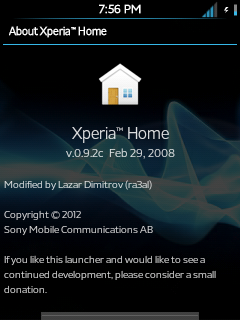
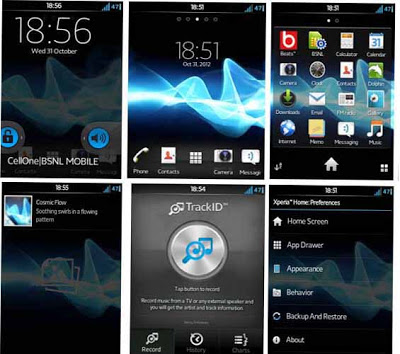
Xperia NxT MoD v1.0 theme for all gingerbread (GB) Android devices samsung galaxy y GT-s5360. Introducing Xperia NxT MoD for GingerBREAD. This works in all roms. This MoD features all Xperia items like Mobile Bravia Engine, Icons, etc. which are ported to other GingerBread devices. The developer of this mod pack is Ganesh Arivoli from Xda so dont forget to thanks him for his work although he did not include Timescape UI as many devices don't support it. But the developer have included many Xperia items that you would like. This MoD pack is only for rooted GingerBread devices. So lets have look on few screenshots of Xperia NxT MoD v1.0 on galaxy Gingerbread running devices galaxy y.


Screenshots:


Features :

  • Stock Xperia S icon pack.
  • Xperia Widgets.
  • Xperia S Fonts.
  • Xperia S Launcher.
  • Xperia T Plasma Boot Animation. 
  • Mobile Bravia Engine.
  • xLOUD Engine.
  • Beats Audio.
  • Beats.apk instead of DSP Manager.
  • Xperia S Audio Files.
  • Xperia SemcCalender.
  • Xperia ICS themed TrackID.
  • Xperia WallPapers.
  • Xperia S WallpaperPicker.
  • Xperia Live Wallpapers.

Xperia Widgets Included:

  • Clock Widgets.(5 clocks)
  • Digital Clock Widget
  • NxT Digital Clock Widget. 
  • Smart Contacts 4x1.
  • Smart Contatcs 4x2.
  • Smart Contacts 4x4.
  • Photos & Videos widget.
  • On Off Tools Widget. (11 widgets)
  • TrackID Widget.
  • Weather Widgets.(2 widgets)

Note : You may not get all widgets. It depends on your Launcher.
Use the provided Xperia Launcher which supports all widgets.

Warning : Use at your own risk!


Requirements:


Instructions :

  • Backup your system charge battery 50%.
  • Download cwm, mod pack and icon pack and place in root directory of sd card and turn your phone off. 
  • Boot in recovery mode by pressing volume up+home+power button together.
  • When you enter recovery mode select apply update from sd card and navigate to root directory and select "CWM.zip"
  • As now you are in cwm mode select install update from sd card and Select the update file "NxT MoD Icons.zip" when it gets install then select "Xperia NxT MoD v1.zip" and ok let the process to be completed.
  • Now Reboot Device.

Congratulation! you have installed Xperia NxT MoD v1.0. In case noticed any bug post on thread page so that dev can fix on next update.

Thursday, 1 November 2012

Root & Unroot Samsung Galaxy ACE S5830


Samsung Galaxy ACE S5830 is one of the the popular smart phone but has no news of upgradation to Ice cream sandwich and Jellybean is far away. But if we want to achive look and feel of the latest Android Google's phone operating system it is possible by installing Custom Rom or Mod Pack but to install this custom Rom on your android phone Samsung Galaxy ACE S5830 first of all you will have to gain super users Right. So to gain super user right you will have to Root your Device. The advantages of a rooted phones is , you can easily remove unwanted bloatware that comes preloaded with your device you can install custom ROM's kernels etc. The main disadvantage of rooting your device is it void's your device warranty. So before proceeding check the firmware version of your device device is running on. By going to Settings-> About Phone-> Firmware Version [DDKQ8 2.3.6.]

Warning:
Use this instructional guide at your own risk. We are not held liable if anything happen to your device.


Requirements:


Installation Instruction:


How to Root the Galaxy Ace 2.3

1. Copy the Root.zip file (download below) into your sd card. You can even put it in a folder if you want.

2. Turn your phone off

3. Boot your phone into recovery mode. To do that, hold HOME+POWER buttons. When the screen turns on and you see the Samsung logo, let go of POWER but keep holding HOME. After the Galaxy Ace logo shows up and disappears, you should enter recovery mode. You can let go of HOME now.

4. Now in recovery mode, you can scroll up and down using the VOLUME UP and VOLUME DOWN buttons and select using the HOME button.

5. Scroll to the second option “apply update from sdcard” and press HOME to select.

6. Scroll to the Root.zip file and select it (if you put it in a folder, find and open that folder and then select Root.zip

7. After it’s done installing, select “reboot system now” and wait for the phone to reboot

8. To check if your phone is rooted, go to you app drawer and look for an app called superuser with an icon of a pirate android with cross bones. If you see it, your phone is rooted.


Congrats! You’ve officially rooted you galaxy ace!!
Now what if you want to go back to unrooted for some reason , or just for the heck of it?? It’s easy. Very similar to rooting

How to Un-root the Ace 2.3:


1. Download unroot.zip (below) and put in sd card

2. Turn off the phone and boot into recovery (refer to step 3 above)

3. Install the unroot.zip (similar to step 5 and 6 above)

4. Restart phone (incase you’re THAT stupid, refer to step 7 above)

5. Look in the app drawer and if all went well, the superuser icon should no longer be there!!!
Congratulations! You have successfully unrooted your Samsung Galaxy ACE S5830 on Gingerbread 2.3.