Sunday, 28 October 2012

THE JELLYBLAST THEMING / ADDONS / CUSTOMIZATION for Galaxy Y

Dear Users Presenting JellyBlast Themes/Addons/Customization for Galaxy Y if You Have Installed JellyBlast Custom Rom on Your Galaxy Y Then u can Install These Themes Why are U Waiting For Just Go Below Given Link And Install JellyBlast v3.0.3 on Your Samsung Galaxy Y Phone & Enjoy.....


1. ICS THEME:


Flash JBV3_ICSTheme.signed.zip to get a beautiful ICS theme, complete with the Status Bar.

2. Holo themes: light and dark.
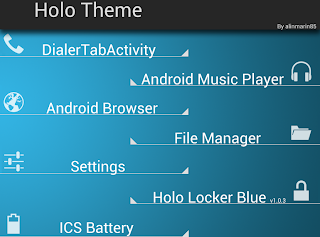


Click here for Light and Dark HOLO themes by Marinalin85:

Holo Light and Dark Themes

3. Galaxy S3 Theme:


Flash these zips via CWM:
Galaxy S3 Icon pack by ElitSamsung.
JBV3_GS3Theme.zip.

4. Nokia n8 ( Belle/Meego) Theme:


Flash this zip by pawanyadav: NokiaICONSfinal.zip


5. Purple theme by Yash989:
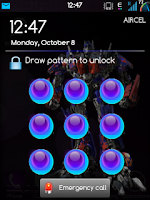


Flash these:
Purple theme.zip

Purple Icons.zip


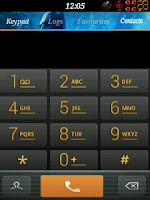
6. Sony XPERIA theme:
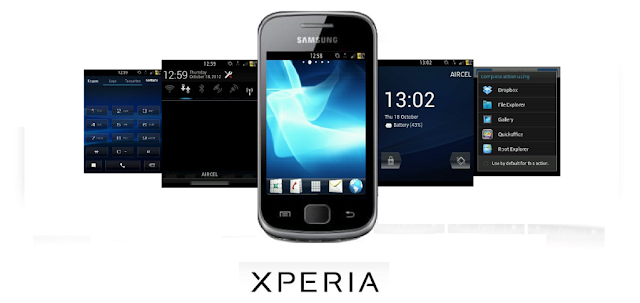


Flash this via CWM. JBV3_XPERIA_theme.zip
Xperia like dialer
Xperia like toggles and much more!


7. Stock theme (Samsung touchwiz):

Get the stock icons by flashing this zip by Ronnieryan.
Get the stock like touchwiz status bar by flashing this zip.

8. BLUE THEME:



blue theme- https://www.dropbox.com/s/m0g4jvlokl7olox/blue.zip

iicon- https://www.dropbox.com/s/mak3odcd9b...T_man_pack.zip

keybrd- https://www.dropbox.com/s/84exfm4wkl...167-signed.apk


choose galaxy theme.Launcher in screenies is golauncher with steel blue theme.

9. THE DARK KNIGHT RISES:
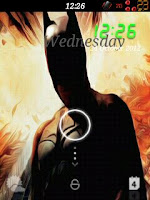


Theme zip link: http://db.tt/6WZKtaet


JELLYBLAST ADDONS:

1. ICS/JELLY BEAN soft buttons:

Surprise!!!


Presenting proudly the all new beautiful Nexus like soft buttons!!! Exclusively for my friends!!!!
Flash: JBV3_SoftButtons.signed.zip and:

Open the "Virtual" app in app drawer and do the following,
Give root permission,
1. Service Enable: on
2. Chose number of buttons: 5
3. Customize Button action: select BACK - lockscreen - HOME - lockscreen - MENU and OK
4. Lockscreen: off
5. Lock animation: off
6. Button Position on screen: Bottom
7. Orientation:. Horizontal
8. Invert Expand: off
9. Separate portrait: off
10. Button Colour: (your wish)
11. Button size: LARGE/Medium
12. Pullout button size: skip
13. Button opacity: skip
14. Pullot button opacity: skip
15. Remove pullout button: On
16. Vibration duration select: Off
17. Use proximity sensor: On (the sensor that was in addition to front speaker, beside logo SAMSUNG)
18. Dismiss on keypress: Off,. Done

Whenever you need the buttons,just wave your fingers over the sensors to summon them. When you're done, simply wave your finger over them and they will disappear!!! Magic? No?

Thanks to Somkll and Evanlocked..


2. ARABIC SUPPORT:
Someone was asking about ARABIC Support. [13th September]
Flash this to get Arabic support: https://www.box.com/s/8qthf4btzynxla03kshf


3. JELLY BEAN SOUNDS AND RINGTONES:
Flash this Jelly Bean Sounds (link) and get the original Jelly Bean and CM7 notifications, UI sounds, and tons of original ringtones!!! Enjoy!!!

Thanks to deathnotice01...

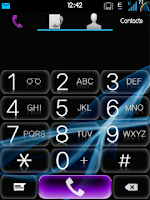
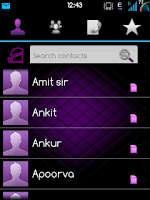
4. PURPLE THEMED APPS by YASH :

JELLYBLAST V3.0.3 Rom for Galaxy Y { 3rd Update }

Today Jellyblast V3 Custom Rom for Samsung Galaxy Y Received 3rd Update. You All Know I have Already Posted How to Install Jellyblast V3 on Samsung Galaxy y model GT-S5360. You All know that this Rom is Based on Latest Version of Firmware DDLF1 for Samsung Galaxy Y and Have the Look and Feel Like Jelly Bean 4.1. The Ist Update Released was Version 3.0.1 Link.and the 2nd Update Release was Version 3.0.2 Link. Today the XDA Developer (AvijitGhosh82) has Released the 3rd Update for Jellyblast V3. I Have Mentioned in My Previous Post that you can Update your Phone Using Over The Air feature - OTA Updates for this Check Under Settings >> OTA Updater. This will Update your Phone to the Latest Version of this Custom Rom Version 3.0.3. So lets Have Look on What have been Fix and Added to this Rom Through this Update and how to Install it.


At First Have a Look Few Screenshots :


Warning : Use at your own risk we will not be held responsible if you damage's your phone.

New Cool Features Added in this Update :

  • Based on DDLF1, but compatible with any version!
  • Totally Dark Jelly Bean themed.
  • Each and every icon fine tuned to look like Jelly Bean.
  • A new Jelly Bean task manager ( Recent apps list).
  • Added Swipe to clear notifications on Status Bar.
  • ROBOTO as system font.
  • A new, AWESOME JELLYBEAN status bar and notification panel.
  • New music app based on stock Touchwiz, but contains DSP equalizer support.
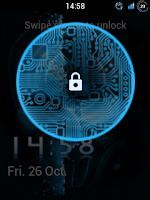
  • NEW LOCKSCREENS- Never miss a chance to show off your cool lockscreen.
  • OTA FEATURE added. Now users can automatically update the ROM from OTA upgrades, in the settings menu.
  • A TOTALLY REVAMPED SETTINGS MENU ,With the following new controls : Statusbar Control, Lockscreen Control, Sound Effect Control, and Quick Toggles Control...finally, your phone is truly yours!
  • New Jelly Bean Digital Clock, analogue clock, and Jelly Bean Search Bar.
  • New smarter JellyBean keyboard.
  • Extented power menu: Now those long processes are long no more!
  • Zero delay root access...try and see!
  • NEW KURO KERNEL, be it more power for gaming, or power saving mode for Deep Sleep, Kuro kernel takes care of your batteries in the best possible way.
  • Battery life megaboosted, last upto 2 days in power saving mode!
  • CPU control feature added....high performance or underclock...choice is yours!
  • CRT animation added in Lockscreen, and other Superfast Jellybean animations!!!! Set animation speed to fast under "Lock screen and Other Settings" and see the increase in speed! Go zoom zoom zoom!!!
  • Kernel is suitable for everyone: default settings (conservative + sio ) is battery saving, while bcm + cfq settings give power boost: Antutu score 2000+ without any extra tweaks!
  • Improved memory management.
  • Two awesome launcher choices: You get both HOLO LAUNCHER, and the STOCK Touchwiz launcher, which is Jelly Bean themed.
  • ICS themed Swype keyboard. (look under Troubleshooting to download)
  • Full Screen Caller Mode: Now see your friends in FULLSCREEN while calling them.
  • SONY BRAVIA ENGINE added...your pictures are clearer than before!!
  • MULTILANGUAGE: Cestina , Dansk, German, Dutch, English ( US, UK) , Spanish, Estonian, French, Gaeliege, Hravatski, Islenska, Italiano, Kazakh, Latviesu, Lietuviu, Macedonian, Magyar, Nederlands, Norsk, Polski, Portuguese, Ronan , Slovencina, Srpski, Suomi, Svenska, Turkish, Thai, Greek, Chinese, Russian, Hebrew. For Arabic support, look in the "JellyBlast addons" section below. You can use the 13th Sept link.
  • Net speed tweaks: Increase your net speed.
  • Superfast Chrome browser included.
  • New superb bootanimation.
  • LOTS OF THEMES AVAILABLE UNDER "JELLYBLAST THEMES " BELOW!!!! (4th post).
  • More cool addons available under "Jellyblast Addons" below!
  • Enjoy!!!!

OTA 3 (27th October 2012 || Version 3.0.3* ):

Changelog:

1.Audio Enhancements:

i. BEATS™ audio for Marvellous, crisp sound. ( remember to exclude it from your task killer)
ii. SONY XLOUD™ enhancement for controlling sound distortion in high sound levels.
iii. SRS WOW® HD.
iv. Dolby Digital 3D surround sound.
2. SONY CYBERSHOT™ Camera enhancements: Clearer image even after zoom and larger image size ( 100%). Adapted from Cybershot mod by Rizal Lovins.
3. Real JellyBean version image. ( Check by multiple clicking the Android Version number under Settings/About phone.
4. New wallpapers from CM10, GS3 and JellyBean. ( Thanks to Hmhadi98).
5. New GS3 lockscreen font and animation.
6. New AOKP inspired Status Bar toggles.
7. New bootanimation by Emanula, fixed by Alan.
8. New System App installer, this can be used to install apps directly to System. Useful when you want to replace System apps.
9. New ICS on-off buttons in Settings and framework.
10.Better RAM usage.
11.Fixed alarm bug.
12. Latest Jellybean Youtube and PlayStore.
13. Improved MMS app.
14. Improved Dialer app.

Flashable zip for those who could not download: JBV3OTA3.signed.zip


BRICKED:

Bricked your phone? Restore the Nandroid over here via CWM (Advanced users).

You can also flash stock rom and kernel via Odin. For details, visit this thread: Link 

Saturday, 27 October 2012

WP7-Monochromatic 2.8 MOD PACK for Galaxy Y [OVERHAUL MAKEOVER FOR STOCK]


Dear Users Previously I Have Posted Two Updates of Monochromatic MOD PACK for Galaxy Y.

1.Monochromatic 1.8 MOD PACK for Galaxy Y { OVERHAUL MAKEOVER FOR STOCK }

2.Monochromatic 2.3 MOD PACK for Galaxy Y { OVERHAUL MAKEOVER FOR STOCK }

And this time here comes WP7-Monochromatic 2.8 MOD PACK for Galaxy Y [OVERHAUL MAKEOVER FOR STOCK] So Enjoy the difference This mod Pack Monochromatic for galaxy y is developed and Shared by the senior member of XDA deathnotice01 so if you like his work don't forget to thanks him. 

What's in this New Release?

OVERALL ANDROID INTERFACE AND INTERNAL MODULES ADDED
WANT THE LIGHTNESS AND SPEED OF STOCK
BUT WITH AN AMAZING THEME AND MORE FEATURES?

- Overall Android User Interface (Framework-res)
- Pre-root features (superuser.apk, su- bin)
- Busybox (busybox- bin, ssh- bin)
- Modules for Bootanimation
- Bravia Engine Support
- Equalizer Sound Enhancement Modules
- Swipe to Remove feature
- Minor Statusbar and Notification Inprovisions (SystemUI)
- ICS Taskbar (Framework-res.apk)
- Statusbar Toggles and Lockscreen (lidroid-res)
- Onley-Light Font Interface (Droidsans.ttf)
- Themed Dialer (DialerTabActivity.apk)
- Themed System Phone Provision (Phone.apk)
- Themed DSP Manager (audio3.apk) (CREDITS TO KUROTSUGI)
- Themed Messaging (Mms.apk)
- New Settings Theme (Settings.apk)


PREREQUISITES:

1. A Samsung Galaxy Y

2. Recovery Mode (Stock or CWM it does'nt matter)

3. DEODEXED STOCK ROM (Preferably DXLF)

4. ROOT ACCESS (just root to be sure)

4. Basic Knowledge in flashing updater scripts (dont worry i have a guide below to help people out)

5. Lastly, a good working brain

--------------------------------------------------------------------------------------------------------------------------------------


[HOW IT WORKS FOR THE MOD]


For those who don't know how to deodex their DXLF Stock ROM (or if you have a (fresh) Odexed stock rom)

1. Download first the DXLF Deodexed Stock Rom here: DXLF Deodexed (CREDITS TO ZALONDABUZZ)

2. Install the DXFL Deodexed Stock ROM

3. Reboot the phone, and wait until it successfully boots (It will take some time)

4. Turn off the phone, Access recovery and continue to the steps below


For those using CWM Kernels (Savie's, White's, Merruk's above 1.8)

1. ENTER CWM RECOVERY BY HOLDING VOLUME UP+CENTER KEY+POWER

2. GO TO MOUNTS AND STORAGE AND SELECT MOUNT SYSTEM

3. SELECT "WP7-Monodramatic ALPHA 2.8.zip"FROM SD CARD (NO NEED FOR DATA WIPE/CACHE WIPE)

4. AND YOU ARE GOOD TO GO


For Non-CWM Kernels (STOCK, Ironbuang, KURO, koneu, REPENCIS, IFRAN, TEMRA KERNELS)

1. When the phone is off press and hold VOLUME UP+CENTER KEY+POWER for 5 secs

2. from stock recovery select "update from SD card"

3. select "cwm_bla_bla.zip"

4. now your phone will run the CWM, go to "install zip from SD"

5. from there choose "choose zip from SDcard"

6. navigate through the folder where you have saved the "WP7-Monodramatic ALPHA 2.8.zip"

7. select "yes", wait till it finishes, then reboot system


[FOR ADVANCED USERS ONLY! DO WITH YOUR OWN RISK]
MERRUK'S KERNEL 2.5 OVERCLOCK 1.2GHz STABLE INSTALLATION

CREDITS TO: MERRUK-OS (PLEASE THANK HIM FOR THIS)


1. REFLASH FRESH STOCK DXLF ROM

2. ENTER CWM RECOVERY (Permanent) or (Temporary)

3. GO TO BACKUP AND STORAGE THEN SELECT BACKUP (THIS WILL BACKUP THE STOCK ROM)

4. AFTER BACKUP IS COMPLETE INSTALL EXT4FINAL.ZIP VIA CWM

5. REBOOT TO DOWNLOAD MODE AND INSTALL USING ODIN PDA.merruk.tar VIA PDA (Leave others black like Phone and CSC)

6. REBOOT TO RECOVERY, NOW YOU HAVE A PERMANENT CWM

7. GO TO BACKUP AND STORAGE THEN SELECT ADVANCED RESTORE THEN SELECT THE LATEST BACKUP THEN RESTORE SYSTEM

8. CROSS YOUR FINGERS, ONCE INSTALLATION IS COMPLETE, WIPE CACHE/DATA

9. REBOOT PHONE AND PRAY IT WILL BOOT (NOTE: BOOTANIMATION DOES NOT WORK)

10. AFTER BOOTING SUCCESSFULLY, USING ADB PUSH COMMAND TO PUSH ALL FILES FROM KERNEL_MODULES.zip

11. REBOOT RECOVERY AGAIN

12. INSTALL DXLF DEODEXED STOCK ROM

13. REBOOT THE PHONE, AND WAIT UNTIL IT REBOOTS, IT WILL TAKE SOME TIME

14. REBOOT RECOVERY

15. INSTALL WP7-MONOCHROMATIC ALPHA

Minor Update for 2.8:

Very tiny update,

Added New WP8 Bootanimation 


WinterMod Evo Custom Rom for Galaxy Y { Updated }

WINTERMOD EVO CUSTOM ROM update Released before we have posted an instructional guide on how to install WINTERMOD EVO CUSTOM ROM on Samsung galaxy y Gt-s5360 if you missed it then you can read it here. Remember this post only include update and is not full build rom but just update, so if U want to use this update U must first of all install wintermod rom on your galaxy y then install this update, no need to wipe data and cache, Just flash it via CWM. This custom Rom works best on DXLC1 and above firmware. Wintermod Evo Custom Rom for Samsung Galaxy Y GT-S5360 is developed by the Xda Member WinterFoxy so, thanks to him. So before proceeding on how to install update of WINTERMOD EVO CUSTOM ROM on galaxy y lets have look on few screenshot.

 Screenshots:


Warning:
Use at your own Risk! we will not be held responsible if you damage your device following instruction provided here.

Features Added:

  • Statusbar Greper
  • DCSMS Weather Config
  • Added many new option
  • Random Bootanimation
  • 8 Lockscreen
  • 20 Toogle statusbar
  • Swipe to remove notification
  • Icon Patcher
  • Backup System(OnAndroid Backup) with UI
  • Lidroid Parts mod
  • New Kernels with Many options
  • Very Good Elegant UI for Gingerbread 2.3.6
  • Cyanmobile layout settings
  • Antibootloop
  • Extmanager 
  • Startup Manager
  • Winter Cpu Settings
  • hishoot
  • Winter-res.apk
  • more other features

Fixed:

  • Statusbar Available when Playing games
  • cropping shutdown animation
  • notification on statusbar
Requirements:

Samsung galaxy y running on WINTERMOD EVO CUSTOM ROM
Clockworkmode (cwm): CWM.zip
Size: 1.4 MB
Rom update file: WinterModEvo_b2.zip
Size: 23.14 MB
Rom update Fix file: fix update.zip
Size: 4.47 MB
Patch Update: patch_update.zip
Size: 4.1 MB


Installation Instruction:

  • First of all backup all your important data and Charge battery full.
  • If you have not installed WINTERMOD EVO CUSTOM ROM then install it
  • Then Download all the required file provided above and place it in root directory of your phone SD card. Turn off your phone and boot in recovery mode by pressing volume up+ home + power button together when you enter recovery mode select apply update from sd card and navigate to root directory and select "CWM.zip"
  • As mow you are in cwm mode select install update from sd card and Select the update file "WinterModEvo_b2.zip" and ok let the process to be completed.
  • After you install Update 27-10-2012 which is :WinterModEvo_b2.zip" you need to flash Update Fix for "WinterModEvo_b2.zip", Fixed Some Force Close Settings (Fix Update)
  • Now in cwm Install Patch Update it will 

-fix statusbar available when playing games
-fix cropping shutdown animation

Congratulation you have successfully updated your custom Rom to latest version of WINTERMOD EVO in case you notice bug post on thread page to get fixed by developer.

Friday, 26 October 2012

Nun Attack Apk for ARMv6

Nun Attack

In a world where prayers are no longer answered, Evil is about to get cannonized

Days have gone by uncounted since the power-thirsty Fallen Nun has taken over the mortal world, spawning evil all over. In a world where Evil is taking over and prayers are no longer answered, there is only one type of divine intervention left, and it’s armed to death.

Join the battle of light against darkness. Lead your squad to defeat the Fallen Nun and restore balance to the World in this epic tactical action game!

Nun Attack delivers hours of hellish entertainment through exciting gameplay mechanics, intuitive touch screen controls and tongue-in-cheek character dialogues! Explore multiple worlds, equip your nuns with the most badass arsenal, level them up and fend off waves of enemies and bosses, beating some holy into hundreds of demons.

Not only do you get to play with bunch of nuns with guns, you ALSO get:

- 4 characters to mess with, each with a unique personality and super power
- 40 missions including multiple levels where you can experience more than 150 battles, 3 epic bossfights and a final, climatic face-off with the Fallen Nun
- Over 80 different guns with various effects (Poison, Shock, Freeze, Burn, Stun, Slow, DOT, AoE, Knockback, Fear, and Charm)
- 7 different evil-stomping miracles to cast while playing
- A full shop to get things rocking!


Google Play Apk Link

Direct Apk Link


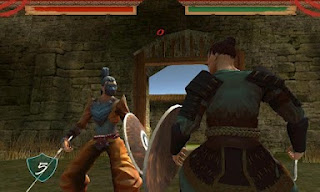
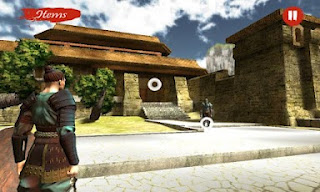
Heritage Apk for ARMv6


Heritage Features: 

-travel between awesome 3D stages
-fast and action based combat system
-endless gameplay thanks to the "new game+" with harder and harder enemies
-tons of items to increase the power of your character
-powerful magic to help you in your journey
-hidden items to pick up
-new enemies and stages soon


Direct Apk Link { ARMV 7 Phones Only }

Direct Apk Link { ARMV 6 Phones Only }

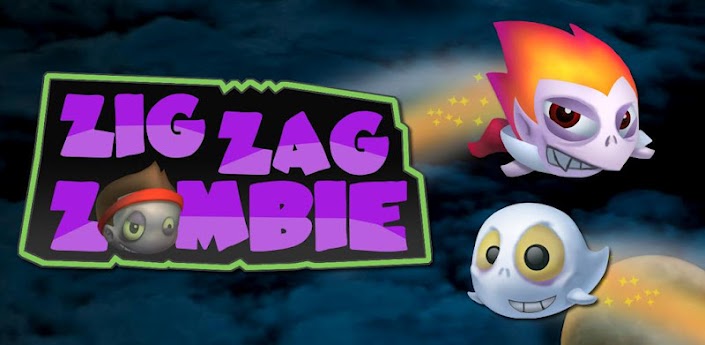
Zig Zag Zombie Apk

Zig Zag Zombie

Be a Zombie, Vampire, Ghost and more in the wildly creative physics puzzle game!

Zig Zag Zombie is more than Zombies! Use the unique powers of monsters to win! Zomb the Zombie, Frank the Frankenstein monster, Haunt the ghost, Rocko the rocket, Vamp the vampire, and Bomber the bomb!!!

“a physics-based puzzle game that will have you dancing around the lunch table for brains” -App Advice

"The cross between the fun art style and all of the creative puzzles, the game really just draws you in." -Chris Kokkinos

“a fun game that fits well into the 'three star puzzler' genre of mobile gaming” -Inside Mobile Apps

★★★Why Zig Zag Zombie is UNIQUE★★★
-Drag your characters in the ring to aim in 360 degrees!
-Press the play button to launch them at the same time!
-Every monster has a unique power, so the level designs will amaze you!

Zomb is a normal high school kid with a problem...he’s a Zombie! But at least he has good friends! And they all have unique powers to help Zomb fight back against the Anti-Monster Squad, a group of grownups who don’t want monsters to have fun!
★Zora, the only human who likes the monsters
★Frank, a Frankenstein monster
★Haunt, a ghost
★Rocko, a rocket monster
★Vamp, a vampire with fire hair!
★Bomber, a bomb with an explosive personality!

Features:
--60 Monstrous Levels!
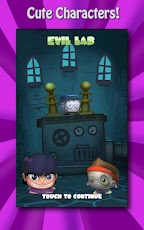
--Three cool worlds: Monster School, Ghost Graveyard, and Evil Lab!
--Regular Updates
--Cute monster characters, all with their own unique powers!
--Creative Levels with crazy obstacles
--SECRET Levels, unlockable by collecting brains!
--Beautiful Backgrounds and Cinema Scenes


Google Play Apk Link

Direct Apk {HVGA,QVGA,WVGA,TAB } Link